%
of rate-card setup handled by AI
Spend less time configuring charges for each client.

Hopstack helps your team configure commercial rules, calculate charges, review each billing period, and issue client-ready statements, whether activity comes from Hopstack WMS or another warehouse system
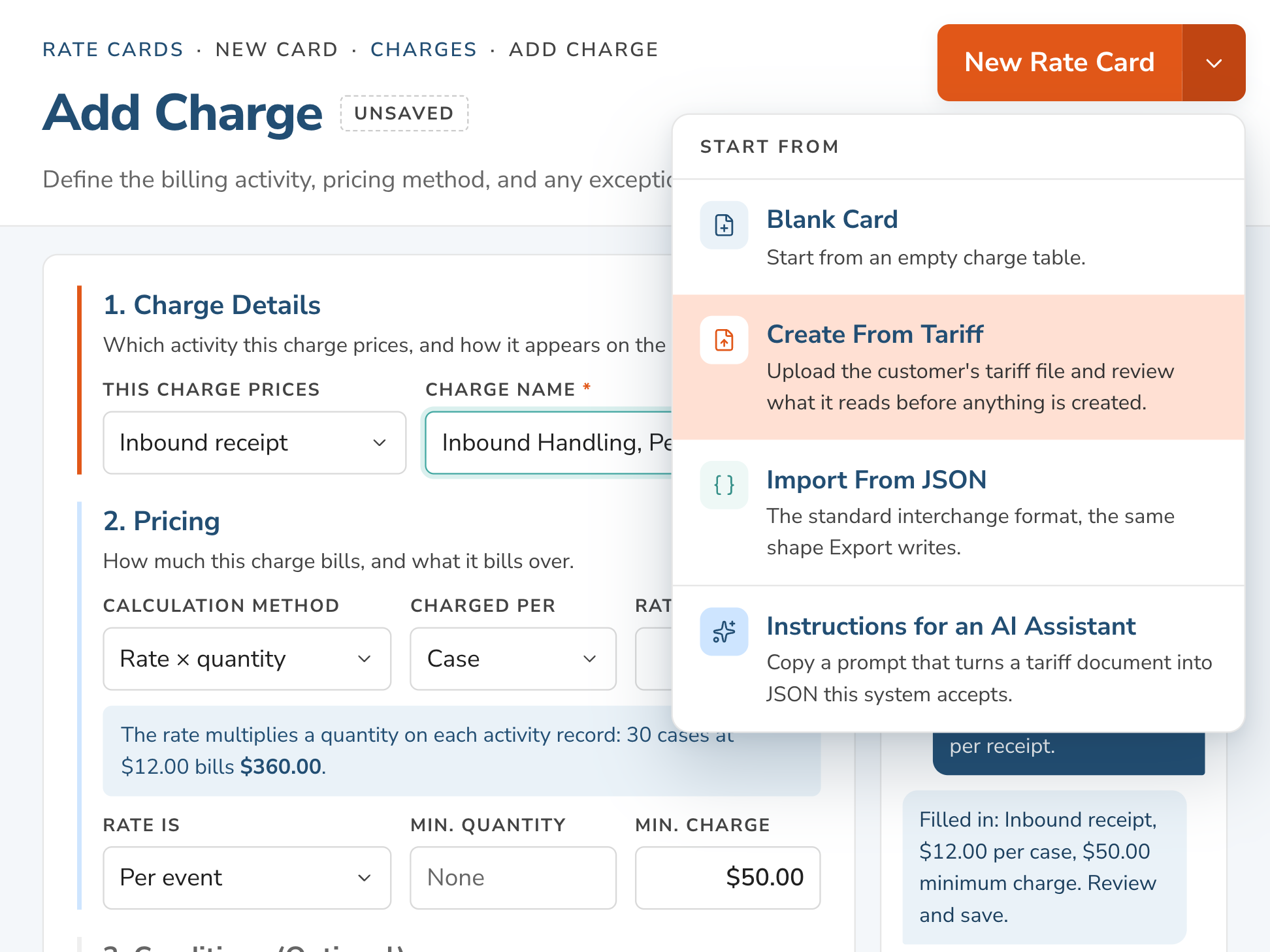
AI turns client pricing into billing rules, reducing manual setup so new accounts are ready to bill sooner.

Reduce repetitive configuration across client-specific rates, units, minimums, tiers, and conditions.
Use existing PDFs, spreadsheets, and CSVs instead of rebuilding pricing in a template.
Keep control of commercial terms with editable rules and flagged ambiguities.
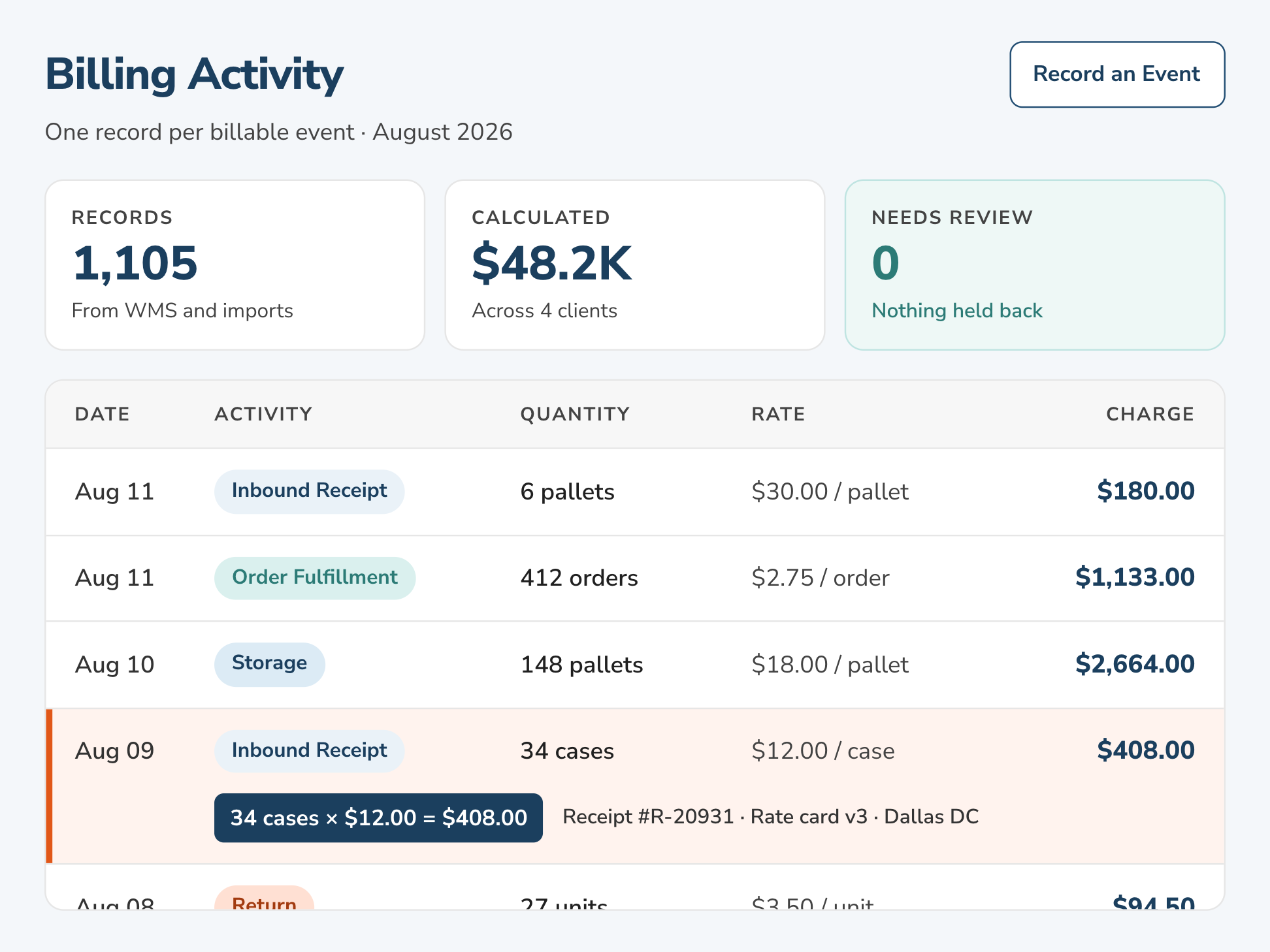
Connect each billable event with the right commercial rule so receiving, storage, fulfillment, returns, materials, and other services can be calculated consistently.
Calculate charges from the activity recorded for each client and facility.
Apply the right rate, billing unit, minimum, tier, or condition.
Use activity from Hopstack WMS or supported operational data from another warehouse system.
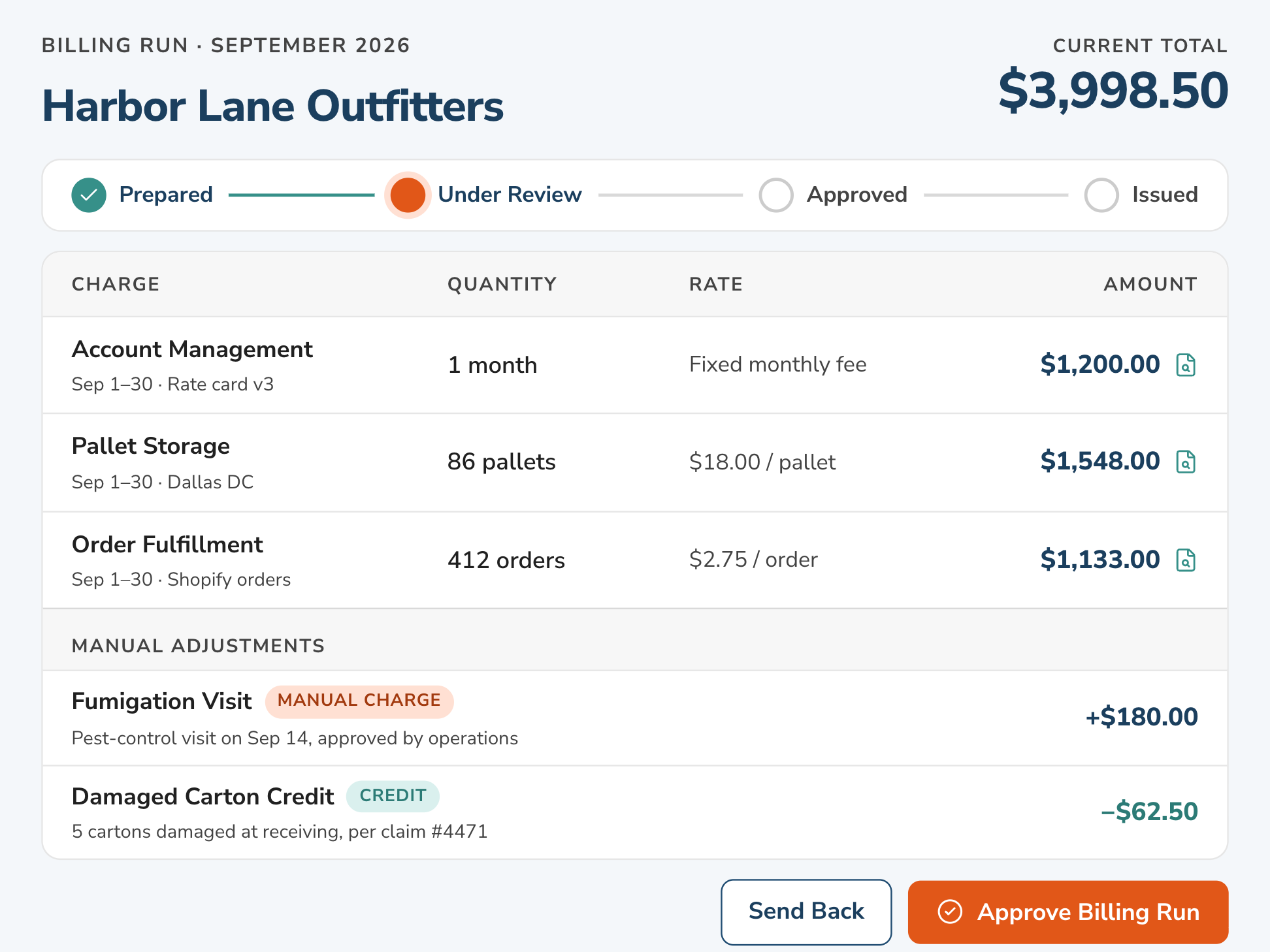
Bring calculated charges into a period-level review workflow before anything is issued to the client.
Review calculated charges with the supporting warehouse activity.
Add credits and one-time adjustments when they are needed.
Move billing through preparation, review, approval, and issue.
Open a charge and see the activity, quantity, rate, rate-card version, and adjustments that produced it.
Trace charges back to the underlying warehouse activity and source records.
Keep the billing unit, applied rate, billing period, and rate-card version with the calculation.
Preserve adjustments and approval history for later billing questions.
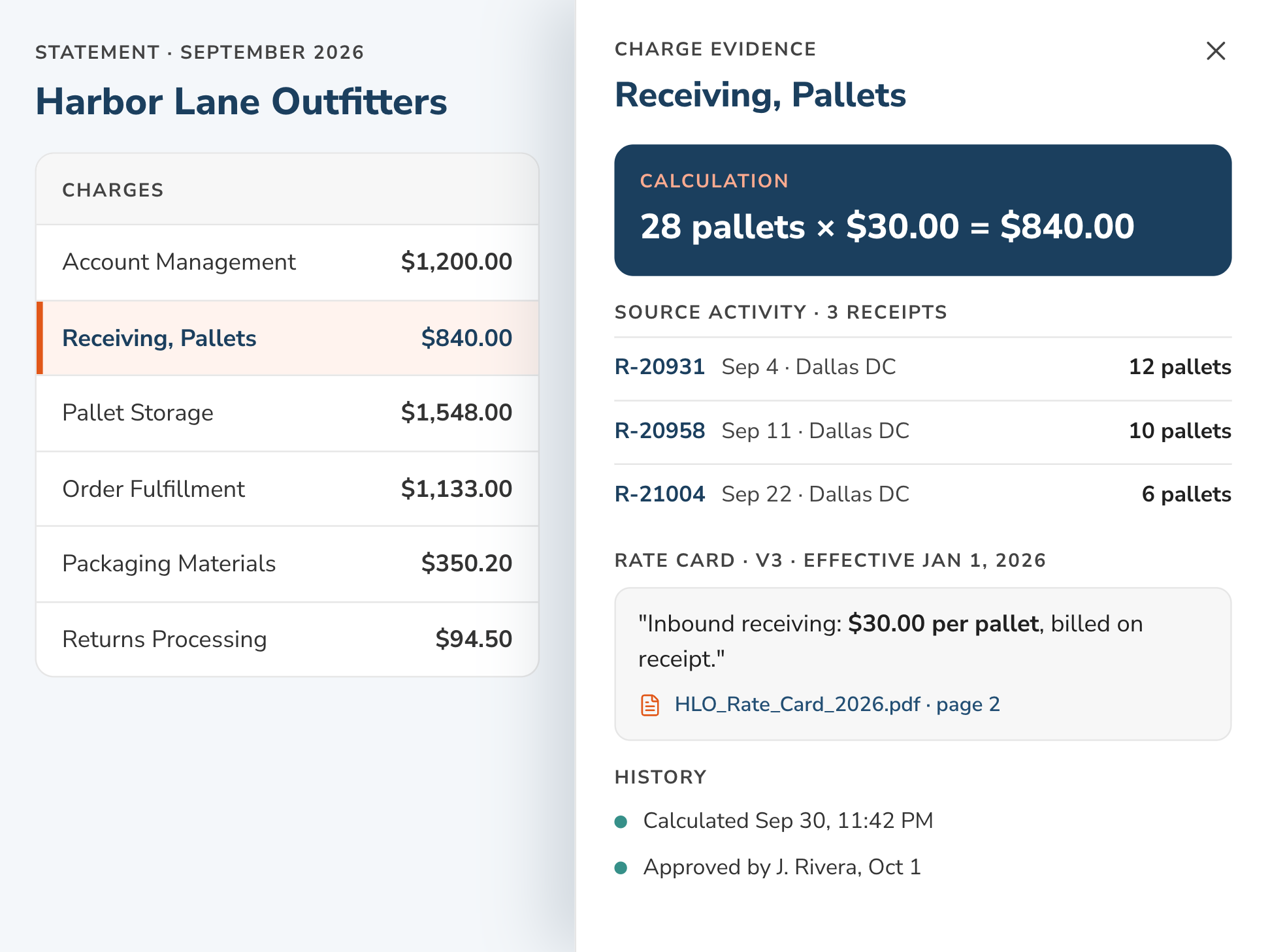
Keep rate cards, warehouse activity, calculated charges, adjustments, review, and billing evidence in one workflow.
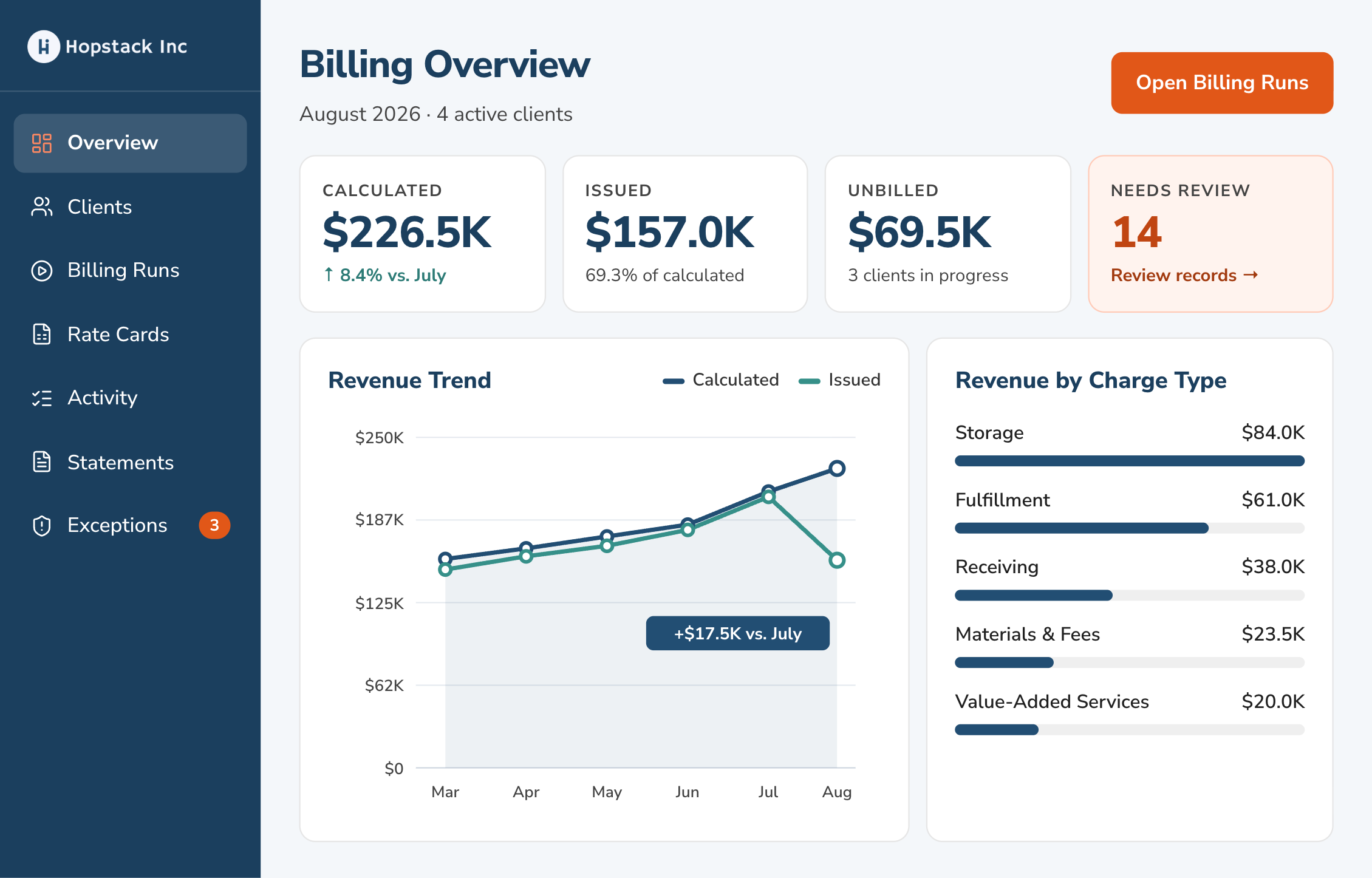
See what is accruing, what has been issued, where billing is incomplete, and the operational detail behind every client charge.

Track calculated, issued, and unbilled revenue, compare clients and periods, monitor billing progress, and surface items that need attention.

Use native Hopstack WMS activity or connect another warehouse system through APIs and operational data imports.

See estimated charges build as billable warehouse activity becomes available instead of waiting until the end of the billing period.

Add service charges, credits, and one-time adjustments alongside automatically calculated operational charges.

Keep historical billing tied to the commercial terms and rate-card version that applied at the time.

Keep incomplete or questionable activity out of billing until someone reviews, resolves, or excludes it.
Bring a client rate card and walk through how its terms can be structured, connected to warehouse activity, and reviewed before a statement is issued.
Common questions about how Hopstack Billing fits existing 3PL systems and billing workflows.
No. Billing will be native to Hopstack WMS, while open APIs and operational data ingestion let 3PLs connect activity from another WMS or an internal warehouse system without replacing it.
The product is designed around warehouse-specific commercial structures such as per-unit rates, flat fees, tiers, minimum charges, percentage-based fees, cost-plus arrangements, and conditional charges.
AI assists with reading rate cards and structuring commercial terms into billing rules for review. Anything unclear can be reviewed before activation, while billing calculations remain deterministic and traceable.
The rate-card import flow is designed to reduce manual setup by structuring terms from the source document for review. Teams can then edit and version the resulting charges as commercial terms change.
Yes. Billing workflows support additional charges, credits, and one-time adjustments alongside calculated operational charges.
That is a core part of the product model. A calculated charge can be connected back to the activity, quantity, billing unit, rate, rate-card version, billing period, and adjustment history that produced it.